 Spritz Depot
 Sistema e utilità
Descrizione
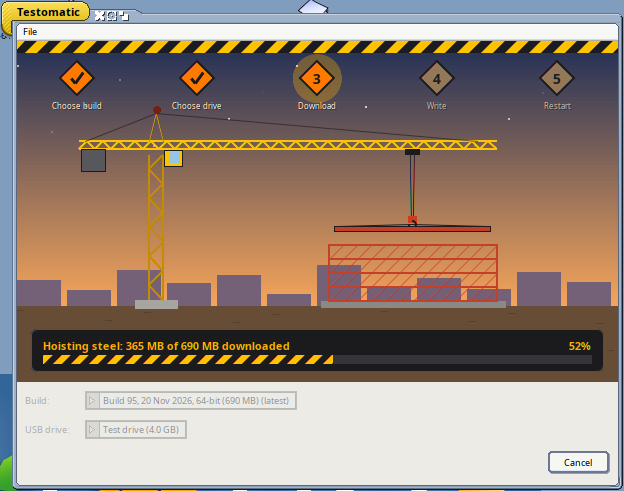
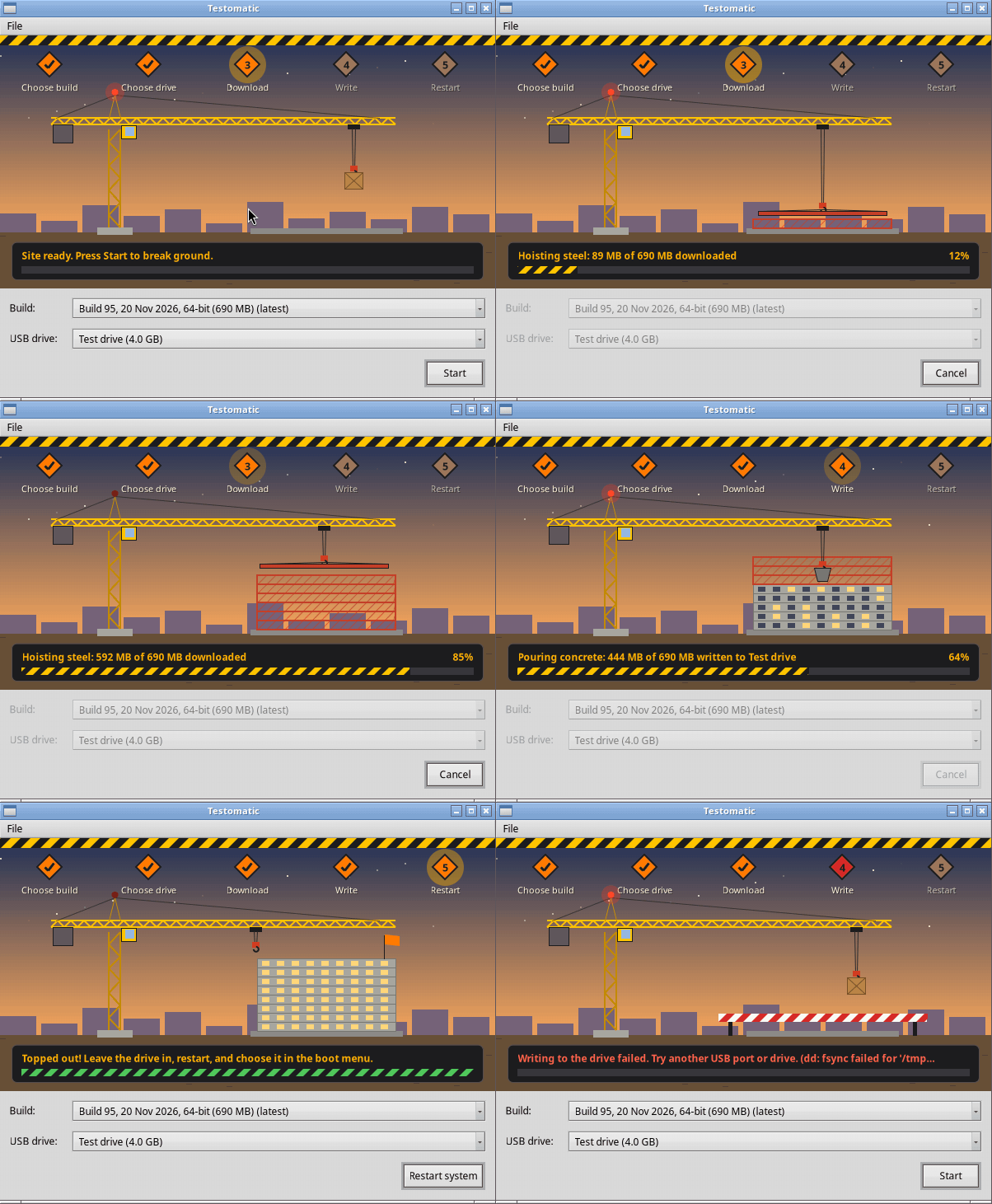
Testomatic lists RenkuOS builds published on GitHub, selecting the latest by default, and downloads one while checking its SHA-256. It can also use an image file you already have, opened via the File menu, the Build menu, or by dropping an ISO on the window. It then writes the image to a USB drive you choose and offers to restart the computer.
Features: browsing and downloading RenkuOS builds from GitHub releases, SHA-256 verification, support for local image files, writing images to a selected USB drive, an optional restart after writing, automatic cleanup of older downloads, and an animated construction-site theme (road signs, a crane hoisting steel during download, concrete pouring during writing, a hazard-striped progress bar).
Runs natively on Renku/Haiku (producing .hpkg packages) and on Linux as an AppImage built via Hokku, sharing one source tree.
Downloading, checksum verification, and writing were tested in QEMU on Haiku and under Xvfb on Linux. Writing to a real USB drive and restarting are still untested on both platforms.
Schermate
Installa
Canale stable v0.1.0
Copia questo URL in HaikuDepot (Repository), poi installa Testomatic come qualsiasi altro pacchetto. Nessun client aggiuntivo richiesto.
Installa Spritz Depot per aggiornamenti automatici e installazione in un clicIl file arriva dal server dell'autore: Spritz Depot non ospita i pacchetti, li indica. Scaricandolo a mano lo verifichi tu (con sha256sum); il client Haiku lo verifica al posto tuo.